Wednesday, October 17, 2018

#FormativeSummit

Formative Fun at Lunch!

This Friday, Formative will launch their virtual PD Summit!
Formative is an assessment tool where students can type, draw, or submit images to demonstrate their understanding.

Each day of the event, you'll be able to...
  • watch a brand new webinar led by a thought leader in education 
  • extend your learning by engaging in fun challenges 
  • earn a certificate of completion for PD credits 
  • win awesome prizes

Today, I hosted a kick-off to the #FormativeSummit, during our lunch period. A sweet treat and playing around with the features of Formative.

Time to spread the word and the power of GoFormative!

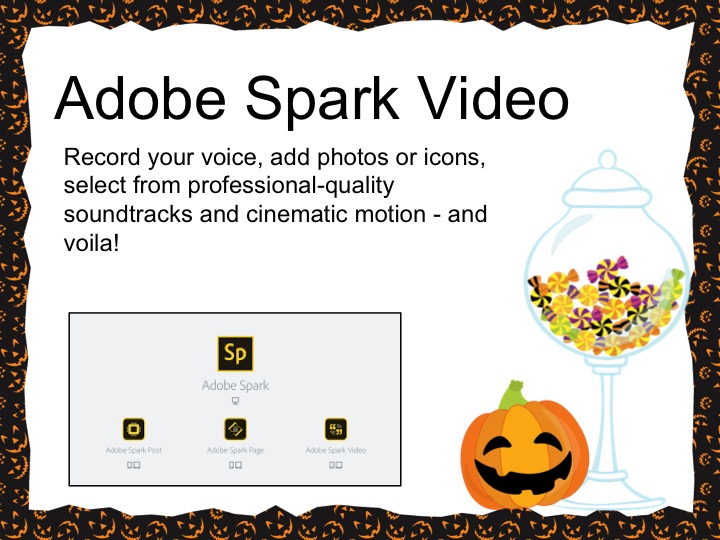
Below, you will find the presentation I shared with our teachers!
Sign up for the #FormativeSummit by clicking here.


Friday, August 31, 2018

Scientific Sketching & Paper by Fiftythree


I love the Twitter post by one of our teachers,  Mrs. Bell's Class  (@KayleeBell17) on how her students used the ABCDE method to record their scientific observations. (Check out a full description and lesson plan from the California Academy of Sciences.)

The simple mnemonic, ABCDE, reminds students to make sure their drawing clearly depicts what they are observing.


Science notebooks are a great way for students to capture their learning . . . drawing, graphing and writing about their learning.

Why not add a bit of novelty and have students draw their observations with the app, Paper by FiftythreePaper is free for iPhone and iPad. It allows you to create some amazing sketches
You can choose to save images as JPG or as PNG to the camera roll.

In the app, the tool tray has a variety of tools for drawing. My favorite is the watercolor brush.
Click here to see a full description of all the tools. 


To help students draw, have them try using a stylus. MEKO Stylus Pen 10 Pack Capacitive Stylus for  an iPad or iPhone is a great choice.  Great for control and accuracy.  They can be found on Amazon. This pack of 10 is only $6.99!


APP Smash Time!
Once, students have their sketches, have them upload them to one of the following applications. They can add their voice, icons, music and finally, turn their scientific sketches into an inspiring video. 


But, wait, there's more! 
Have student finish it off by adding it to Flipgrid or Seesaw to share!


Want more details? Click here for the Google Slide presentation.

Happy scientific sketching!


Monday, August 27, 2018

Launch Yourself into Space

I love an app that has so many possibilities, plus a learning piece.
NASA Selfies app, allows you to step into a virtual space suit and visit various outer space locations.
There are 30 different stunning backgrounds that are real photos of space captured by the Spitzer Space Telescope. It's not fancy, but when you add some app smashing, it takes it to the next level.


A few ideas for some app smashing fun!
Use the Balloon Stickies app to add a speech or thought bubble.
Using descriptive language, students can record their adventure, with ChatterPix Kids app.
Have students take multiple selfies and create a story with a beginning, middle and end. Pull them into Adobe Spark Video or Shadow Puppet EDU to tell the story. 
Or, start with Balloon Stickies, add to ChatterPix Kids and finish with Shadow Puppet EDU for a fun finished product. 


To start off a unit on space, have some fun letting students design a mission patch. You can use this as a way to start off your unit on space or just  a team building activity. 
Students can head to the history of mission patches to see authentic patches designed by various teams of astronauts. Some of the patches are commemorative, not worn by the crew. 
Google Draw and Canva are two great tools to use when designing a mission patch. 

Have fun in space!
Click here to access all the slides in Google.

Saturday, October 22, 2016

Tech or Treat


It was a fun 2 days "Tech or Treating" with our secondary teachers! 

I'm fortunate to have a small professional development room next to my office. I took that room and added spooking lights, cobwebs, a BEwARe sign and a bunch of tech stations. Oh, and lots of treats!
I fashioned the two days like an open house. Come and go! A bunch of tech and a bunch of treats!


I wanted it to be a casual learning experience.  I set up stations highlighting different tech tools.  I created QR Codes that linked to student final products. The purpose was to highlight teachers and the different was they are integrating tech.
The nice part about the "tech or treating," it gave me the chance to have one-on-one conversations with teachers about how to integrate these tools with their content. 


A few of our teachers tech or treating!


What exactly were those tech tools? Here's my treat for you.
Click on the image to take you to the site.

This is my new favorite! (This tool is for 13+ however, you can view this Adobe Spark Edu Guide on how to use Adobe Spark with younger students.) 

We have a district Nearpod account, so we have access to the virtual tours and 3D experiences.


Super fun! Create comic like stories! Show what you know!

French class example!


This is great tool for group discussion questions or if you have that family dilemma . . . Where do we go for dinner?


Love this one!
Students add the text and the program brings in the images. Add a voice over and voila!
I chatted with out World Language teachers about having their students type in English and voice over in the language for their class.

Here is one I created explaining formative assessments!
Next up, such a fun tool to edit photos. I used this to edit the photos at the start of the blog.
Students can use this as an exit ticket. Take your picture, add text on your one big take away, add a few embellishments and share with the teacher!


Another great tool for an exit tickets!!!

 One of the choices, a fortune cookie! How fun is this?!
Enjoy the fun tech tools. Hope they will be a treat for your students.


Sunday, July 17, 2016

World Emoji Day!

Happy World Emoji Day!

Yep, that's right! Those cute little symbols have their own day, so let's celebrate!

Last August, I wrote a blog post titled . . . Incorporate Emojis to Encourage Writing
Using, Emoji Translate and Pic Collage, students can create some fun writing pieces. I also posted a few videos that are done using emojis! Super cute! Check out the post!


While attending one of Cori Coburn-Shiflett tech sessions, she asked us to stop and write a reflection about what we had just learned. Using TodaysMeet, we posted a reflection using just emojis!  Such a simple idea and tons of fun.  


So . . . today . . .  go forth and follow the hashtag #WorldEmojiDay to see how the rest of the world is celebrating the emoji!

Today, in our house, we celebrate with emoji cups, plates, and napkins . . . making dinner just that much cheerier!


Click on the image to learn more about those cute little characters!


Saturday, June 25, 2016

iPadpalooza iLead (My Day 1)

What an amazing week! Today, I'm recuperating from Information Overload! 4 days at iPadpalooza hosted by Eanes ISD in Austin, Texas. WoW!

First of all, shout out to Carl Hooker, Director of Technology and Learning, for the unbelievable job he and his crew did on making the week fun and jam packed with amazing presenters, a fun scavenger hunt, theme days and opportunities to connect with educators.


My week started on Tuesday, attending the iLead Academy. A full day with George Couros. Yes, that's right! George Couros! If you have ever heard George speak, you know he's down to Earth . . . tells it like it is . . . keeps it real and oh-so entertaining.

Like a magician . . . sleight of hand . . . George had those without a Twitter account creating one.  He oh-so-subtly and not so subtly showed the power of Twitter. He encouraged us to make learning visual by having us post video reflections to Twitter. Check out the hashtag . . . #iplzalead #iplzalead1 . . . 2!

(Got mine signed!)


Day 1: Knowledge Nuggets Gleaned!
  • "Often the biggest barrier to innovation is our own way of thinking."
  • "Don’t teach students to embrace failure - teach them it is part of the process!"
  • "The shift in education has to focus on process and not product."
  • "Social media is like water. You can either let us drown, or teach us to swim.” -Student
  • What is the biggest game changer in education? An educator that looks at themself as an innovator."
  • "Innovation often begins and ends with empathy."
  • "Don't play educational data whack-a-mole! Focus on campus strengths! Build capacity within your learning organization."
  • "Crack the egg!" - the funniest . . . change your Twitter egg image to a real image!!! See, keeping it real!


George worked the the room . . . sitting at tables, chatting with people, answering questions and just plain hanging out with the participants. 
So cool! 
He wove video clips, quotes and personal anecdotes throughout our day of learning. 

3 great images!


Sooo . . . Thank you George for a wonderful day filled with pushing my thinking, great conversations, and your patience as we asked a bajillion questions!

Stay tuned . . . iPadpalooza continued!

Monday, February 1, 2016

#TCEA16


The week has finally arrived!
The TCEA Annual Convention and Exposition brings together campus and district-level educators to explore best practices for engaging students, increasing productivity, and innovating teaching and learning through the use of technology. 

5 days
900+ sessions
10 Academies
450 Exhibits

This year, the theme is . . . Connected . . . love it! The power of being connected has opened up so many doors. I've been able to reach beyond the walls of my school and connect with many wonderful educators that are willing to share ideas.

I'm attend the conference in a different capacity. As the Area 20 Director, I get to "work" . . . so not work . . . whole lotta fun! I get to hang out with Chance at the TCEA membership booth! Connecting! Chatting! and handing out T-shirts for those that complete the TCEA challenge!

Follow me on Twitter @cdolat or Instagram - fabulousfifthgradefun (long story about that handle...) to check out all the cool things happening at TCEA!

Or . . . listen to the TCEA Radio!


#TCEA16
#area20TCEA